Free
Free of charge · No time or receipt count limit
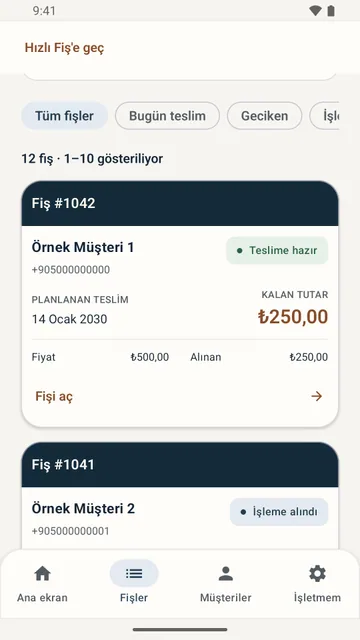
Manage daily work with Quick receipt.
- Enter customer details and create quick receipts
- Photo receipts, payments received, customer pickups and sharing
- Search active and completed receipts

Funture Games & Software / Android
Focus on your craft. Track your work with Lostra.
Attach a photo to every pair you take in. See whose job it is, when it is due and what is still owed, all on your phone. No more searching through paper ticket books.
The Free plan has no time limit and no cap on receipts. No ads.
Built for workshops that take in footwear, work on it and hand it back. Whatever you call your shop, the job is the same: nothing gets mixed up, and the customer knows when to come back.
Half soles, heels, full soles, stitching, zippers. Pick from the built-in service list to write a ticket, and set prices to match your own rates.
Track dyeing, polishing and care jobs by receipt number. When a job is done, the app prepares the “ready for pickup” message for you.
The photo you take at drop-off stays on the receipt, so there is a record of the condition the pair arrived in.
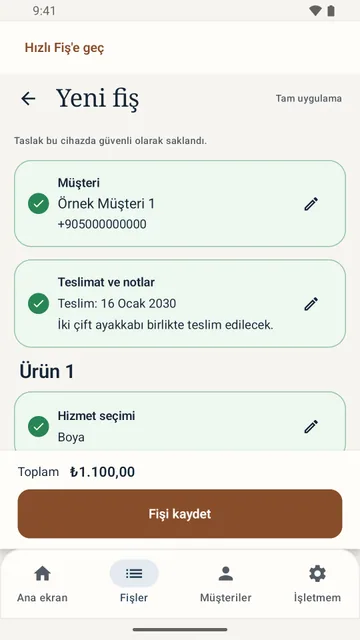
With Premium, add several pairs to one receipt, each with its own services, price and status.
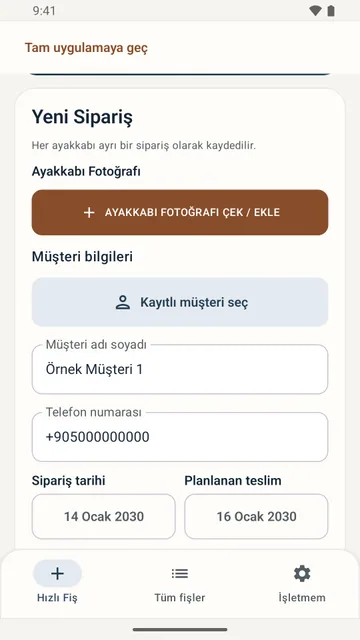
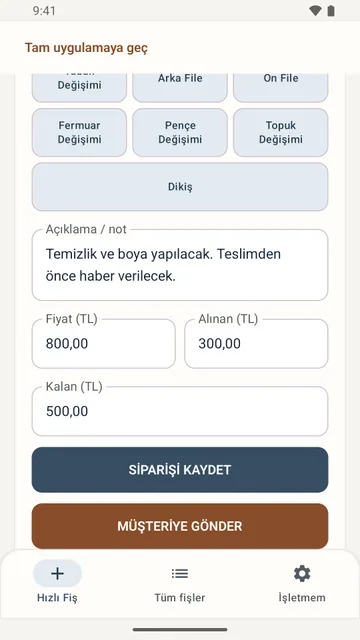
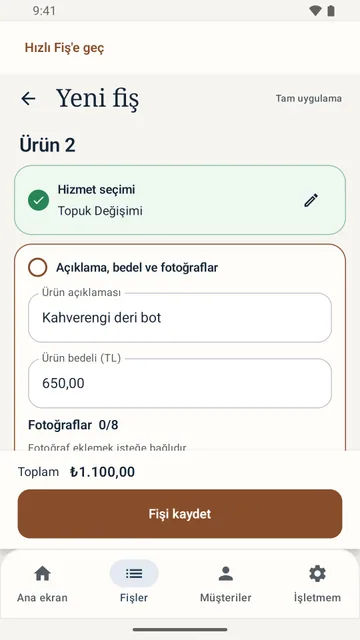
Quick receipt on the Free plan is a single screen: customer, photo, service, price and pickup date. You can write the ticket without leaving the bench.
In Premium receipts you describe each item in your own words, add your own services and edit the customer messages, so bags, belts and jackets follow the same routine.
Select or add the customer. Take a photo of the pair, then enter the service, the price and the planned pickup date.
The app prepares the receipt image and the message. You complete the send in WhatsApp or another app you choose.
Mark the job as ready for pickup and the “your order is ready” message is prepared for sharing.
Paid and outstanding amounts are shown on the receipt. Close it when the item is handed over, and search older receipts whenever you need them.
Add up to 8 photos per item. The condition of each item at drop-off is saved with the receipt.
Update customers with a receipt image and a ready-made message; you complete the send in WhatsApp. Edit the message templates in Premium.
Deposits, part payments, paid in full. Every receipt shows what has been received and what is still due.
Record the planned pickup date and mark jobs as ready for pickup and handed over. In Premium, list jobs due today and overdue jobs separately.
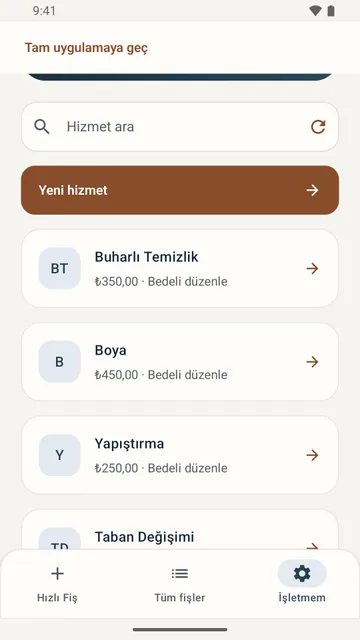
Start with built-in services such as steam cleaning, dyeing, half soles and heels, then add your own and set the prices.
See a customer’s past receipts, open jobs and balance due on one screen.
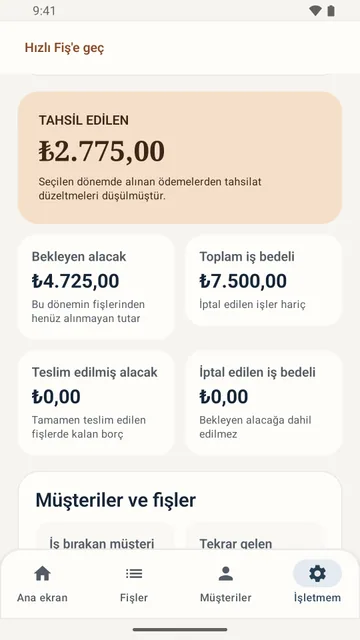
For any date range, track payments collected, outstanding receivables and total job value.
Invite employees with a code. Each person signs in with their own account and uses only the permissions you grant.
Turkish, English, German, French, Spanish, Arabic, Russian, Japanese, Korean and Chinese.
Screens are shown in Turkish. The app is also available in English and eight other languages.
Free of charge · No time or receipt count limit
Manage daily work with Quick receipt.
Monthly subscription · for your whole business
From service receipts to payments, customers to reports. Manage your business in one place.
Both plans are ad-free. Your records are preserved when you change plans; if a subscription ends, you continue with Quick receipt on the Free plan. The Premium price for your country is shown in Google Play before purchase. The subscription renews monthly and can be cancelled in Google Play.
Yes. You can start on the Free plan with no time limit, no cap on receipts and no ads. Full-app features such as multi-item receipts, the customer directory, reports and message settings are unlocked with the monthly Premium subscription.
The price depends on your country and is shown in Google Play before you subscribe. The subscription renews monthly and can be cancelled in Google Play.
Not at the moment. Lostra Manager runs on phones and tablets with Android 8.0 or later.
No. The app prepares the message and the receipt image and opens WhatsApp; you complete the send yourself, so you stay in control of what goes to whom.
No. When a subscription ends you keep the same account and continue with Quick receipt on the Free plan.
Yes. The owner creates an invitation code tied to the employee’s email address. Each employee joins with their own account and uses only the permissions granted. Only the owner can buy the subscription.
No. Records are stored on the server, so an internet connection is required.
The app is built around shoe repair and shoe care: the built-in service list and Quick receipt are designed for footwear. In Premium receipts you can describe items freely, add your own services and edit the messages, which also covers bags, belts and other leather goods.
Records are stored on a server in a data center in Türkiye. The privacy policy, available in Turkish, has the details.
Create your business and write your first receipt today. If you get stuck, write to our support address.
Publisher: Funture Games & Software. Support: funturegames@gmail.com