Free
Free to download
Earn gold and open episodes without paying.
- Library, favorites, ratings and comments
- Earn gold with the daily reward, the Memory Game or optional rewarded ads
- Open episodes with gold

Funture Games & Software / Android
Open a story. Find yourself within.
Browse shelves by genre, open a series that catches your eye and pick up where you left off. Your favorites stay in your library, and you can rate and comment on what you read.
Free to download. Gold packs and Premium are optional.
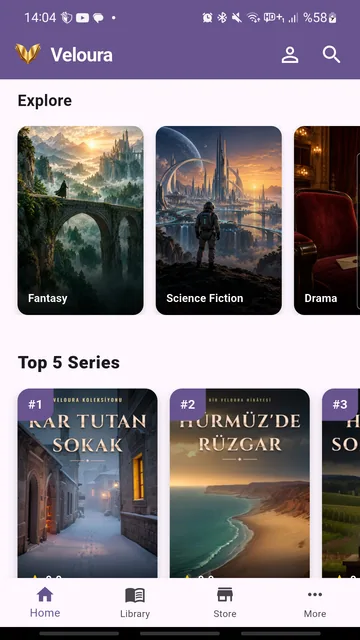
Five stories have their first episode open on this site, each from a different genre. They are in Turkish.
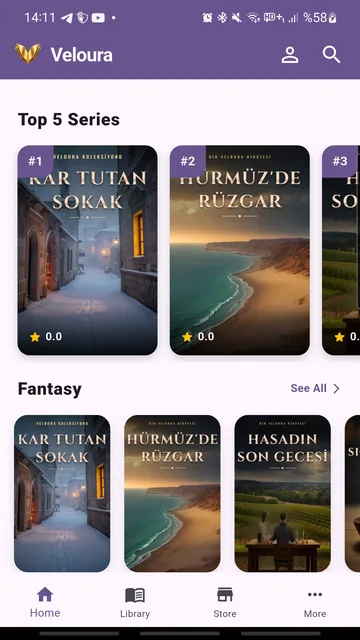
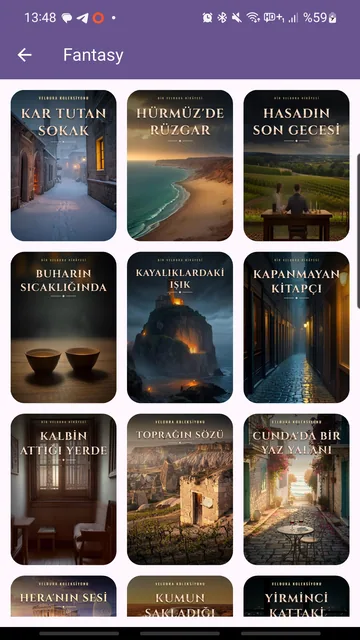
Veloura has 17 genre shelves. Most stories are currently on the Emotional, Drama, Horror - Thriller and Thriller shelves. All stories are currently written in Turkish, and the stories on each shelf depend on the current catalog in the app.
Other worlds, old kingdoms and long journeys.
Distant planets, future cities and the limits of technology.
Relationships, loss and starting again.
Slow-burning stories that stay with you.
Unsettling episodes, best read late at night.
Fast pacing, pursuits and last-minute decisions.
Clues, suspects and cases waiting to be solved.
Stories where dream and reality blur.
Characters who push back against the rules.
Gods, legends and old tales.
Unexplained events and unseen presences.
Small turning points in ordinary days.
Stories set in earlier eras.
Questions whose answers wait until the end.
Stories that raise your pulse and keep you guessing.
Mishaps and misunderstandings that make you laugh.
Journeys into the unknown.
The home screen shows genre shelves and featured series. Search by book, author, tag or category.
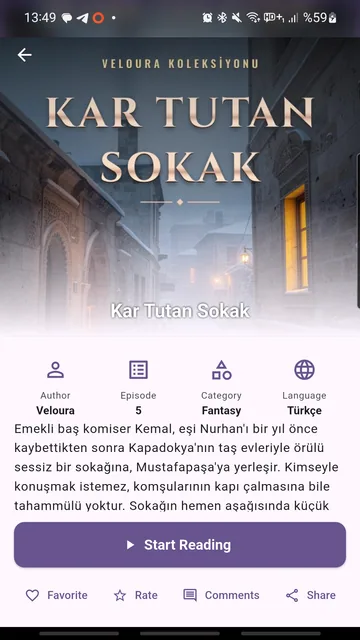
See the summary, the number of episodes and the language, then tap “Start Reading”.
Your favorites and the series you are reading are kept in your library, ready to continue.
Rate the season you read and talk with other readers in the comments.
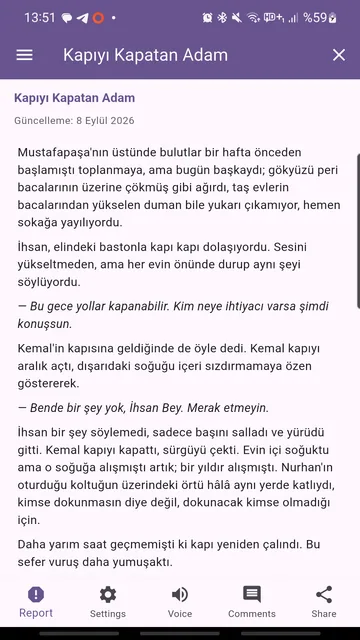
Stories are split into seasons and episodes, so you can read one episode per sitting.
Save the series you like and keep track of your reading progress in your account.
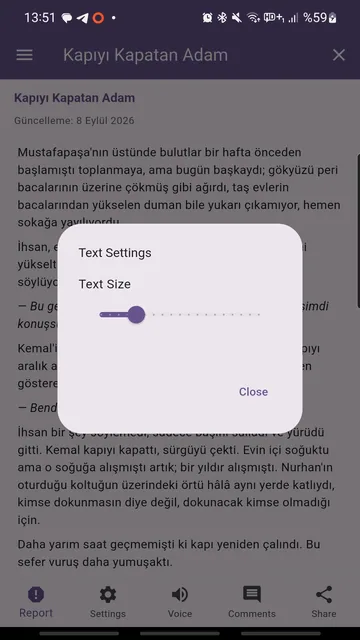
Choose the font size, a light or dark theme and the theme color.
Rate seasons, write comments and reply. You can report content and block users.
Search by book, author, tag or category, and find new stories through popular tags.
Claim your reward each day and match cards; both earn virtual gold.
Episodes are opened with gold. Gold is a virtual in-app balance; it is not money and cannot be exchanged for cash.
Unlocks every season and every episode. Plans and prices are shown in Google Play before purchase.
Turkish, English, German, French, Spanish, Italian, Portuguese, Dutch, Russian, Arabic, Hindi, Indonesian, Japanese, Korean and Chinese.
Free to download
Earn gold and open episodes without paying.
Subscription · price shown in Google Play
Open the door to every story.
A subscription is optional. Auto-renewing plans renew until cancelled, and cancelling keeps access through the paid period. Gold is a virtual in-app balance and cannot be exchanged for cash. Available plans and packs vary by country; payments are handled by Google Play.
It is free to download. Every episode, including the first one, is opened with gold. You can earn gold without paying through the daily reward, the Memory Game or optional rewarded ads. Gold packs and the Premium subscription are optional.
Gold is a virtual in-app balance used to open episodes. You can earn it with the daily reward, in the Memory Game or by watching an optional rewarded ad, or buy a gold pack in the store. It is not money and cannot be exchanged for cash.
It unlocks every season and every episode. Plan options, billing period and the current price are shown in Google Play before purchase, and you manage or cancel the subscription in Google Play.
No ads interrupt your reading. If you want, you can watch a rewarded ad to earn gold; watching ads is never required.
The stories in the catalog are currently in Turkish; each story lists its language on its own page. The app interface is available in 15 languages.
Not at the moment. Veloura is available on Android through Google Play.
You can sign up with an email address and password, or sign in with your Google account.
You can delete your account in the app, or request deletion by email without installing it. The steps are on the account and data deletion page.
You can report the content in the app and block the user. The rules are on the community guidelines page.
Download the app, pick a shelf and start reading.
Publisher: Funture Games & Software. Support: funturegames@gmail.com